


Bullet Force: which version this is, and how the demo plays
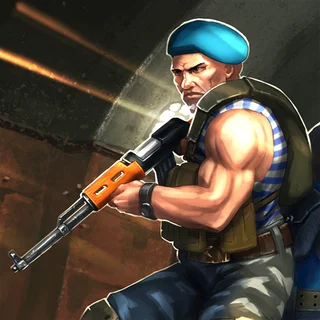
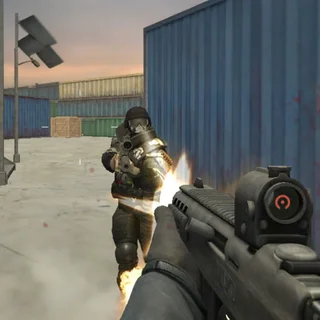
Bullet Force is the Unity first-person shooter from Blayze Games, the studio of Lucas Wilde, which grew into a full online multiplayer game. That full game needs the developer's servers, so the version we serve here is the one that never needed them: the 2016 single-player WebGL demo made for the PacoGames portal, whose splash screen still opens the game. You start a mission on a palm-covered hillside with allied soldiers beside you, a revolver in your hands and an AK-12 and an RPG-7 to switch to, and the enemy count at the top of the screen tells you how much of the opposing force is left.
The demo is short on menus and long on shooting. The title screen shows Easy, Normal and Hard buttons, but only Play Easy Mode starts a game; the other two were links to the full version on the sponsor's site and do nothing here. From there the whole game is the counter at the top of the screen and the magazine count under the weapon icon, until a Mission Complete screen. It is a 100 MB Unity 5 build, so the first load takes a while and the browser has to reserve half a gigabyte of memory for it; later visits load from the cache. Desktop only, in practice: the mobile on-screen buttons in the build did not show in a browser.
Controls & mechanics
| Action | Control | Purpose |
|---|---|---|
| Move | W / A / S / D | Strafe with A and D rather than turning; the bots aim at where you were |
| Aim and fire | Mouse, left click | Click the game once first so it can lock the pointer; Escape releases it and pauses |
| Switch weapon | 2 | Cycles revolver (6 rounds, 15 spare) to AK-12 (30 rounds, 75 spare) to RPG-7 (1 rocket, 3 spare) and back; 1 does nothing |
| Reload | R | The number under the weapon icon is magazine / reserve; reload behind cover, not in the open |
| Jump and crouch | Space / C | Crouching drops your view behind the boulders and crates, the nearest cover |
| Pause | Escape | Freezes the round and frees the mouse; press again to continue |
Lasting longer in the demo
- Fight from the rocks, not the field: The Easy mission is a rocky hillside with palm trees, boulders, wooden crates, a fenced compound and a round concrete tower. Keep a boulder or a crate between you and the shooting so the crouch key actually does something, and step out with A or D to fire.
- Draw the rifle before the first fight: The mission starts with the six-shot revolver in your hands. Press 2 once for the AK-12 and its thirty-round magazine. Press 2 again only when you want the RPG-7: it has four rockets in all, and getting back to the rifle from it takes two more presses.
- Read the counter: Enemies Remaining starts at 20+, and the game's text also holds 15+, 10+ and 5+, so it drops in steps rather than kill by kill at first. The mission ends at a Mission Complete screen, so the goal is to clear the enemy force, not to outlast it.
Key features
- Runs without the servers: The demo has no lobby and no login, which is why it still works in 2026 without the multiplayer game's servers.
- Three weapons and a squad: A revolver, an AK-12 and an RPG-7 on one switch key, and allied soldiers who start the mission beside you.
- Served from this domain: The build's 100 MB of engine and assets are on this server, so nothing is hotlinked and a portal shutting down cannot take the game with it.
Game info
- Title: Bullet Force
- Developer: Blayze Games
- Category: First-Person Shooters
- Platform: Web browser (HTML5)
- Build: Unity 5.2 WebGL demo, about 100 MB, desktop browsers, served from bulletforce.co
Where to play the full Bullet Force
The full game is not on this site. Blayze Games' multiplayer Bullet Force is a live, separately updated game: CrazyGames lists it in the browser (desktop), plus iOS and Android apps and Steam, with up to 20 players in a match and Team Deathmatch, Free for All, Conquest and Gun Game modes. Search for it by name on those stores or on CrazyGames. What loads above is only the short 2016 demo.
Want real players instead of bots?
This demo is single player only. If you want an online shooter that still has live servers, try Blast Buddies, a cartoon multiplayer FPS on this site with Team Deathmatch, Free for All, 1v1, Gun Game, Hardpoint, Conquest and Elimination modes, slides and grenades, and a map editor. It runs in the same browser tab with no download.
Pro tip: Time in the open is what costs you. Press 2 for the rifle the moment you spawn, move to the nearest boulder or crate, and reload with R behind it before you step out again.
Frequently asked questions
Is this the full Bullet Force?
No. This is the original 2016 WebGL demo Blayze Games made for the PacoGames portal: an Easy-mode mission against bot soldiers with three weapons. The Normal and Hard buttons only pointed to the full version, so they do nothing here. The full multiplayer Bullet Force is a separate game on Blayze Games' own servers, so we do not pretend to run it here; CrazyGames lists it in the browser, and it is also on iOS, Android and Steam.
Why does it take so long to load?
The demo is a 100 MB Unity 5 build and the browser has to download it and reserve 512 MB of memory before the menu appears. On a normal connection that can take a minute or more the first time; after that the files come from the browser cache and the game starts much faster.
Does it work on a phone?
Not usefully. The build carries on-screen buttons from the mobile version, but they did not show in a browser in our test, and it needs more memory than most phones will give a tab. Play it on a laptop or desktop with a mouse.
The mouse will not turn my view — what is wrong?
The game needs to lock the pointer, and browsers only allow that after a click inside the game. Click the frame once after pressing Play Easy Mode. Escape releases the pointer and shows GAME PAUSED; press Escape again to resume and click to take the mouse back.
Can I play it with friends?
Not in this build; it is single player, with computer-controlled allies against bot soldiers. For a shooter with people in it, Blast Buddies, Combat Reloaded and Blockpost on this site have working online modes; Blast Buddies has Team Deathmatch, Free for All, 1v1, Gun Game and Hardpoint.